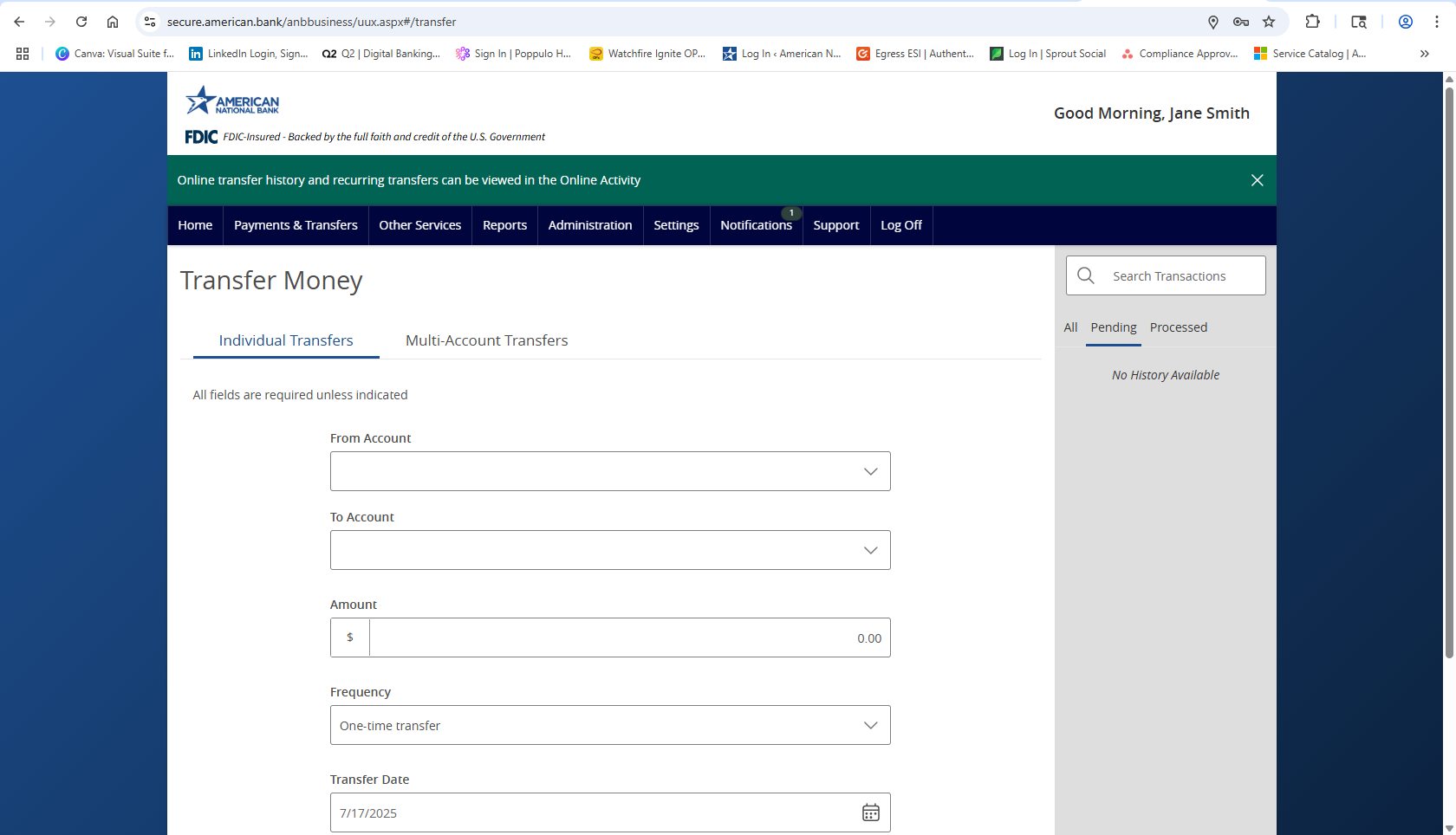
- Select Payments and Transfers then select Transfer Money.
- Select an account from the From Account dropdown.
- Select an account from the To Account. dropdown.
- Enter an Amount.
- Click on the Frequency field and select the desired recurrence.
- If this will be a One-time transfer, enter the Transfer Date.
- If this will be a recurring transaction, select the desired Recurrence.
- Enter a Start Date for the transaction.
- Select a Repeat Duration which can either be Forever, or Until Date where a date will then need to be designated.
- Enter a Memo for the transaction. This is an optional step.
- Review the details on the screen for accuracy and select Transfer Funds.
Additional resources
-
Bill Pay User Guide
Read moreSchedule and manage your payments using Bill Pay.
-
Online Transaction Activity
Read moreFollow these instructions to view and search your online transaction activity.
-
Multi-Account Transfers
Read moreFollow these instructions to perform multiple internal account transfers at once.
-
Wire Upload from File
Read moreThe wire upload function allows you to upload a formatted CSV file containing multiple wire transfers instead of inputting the wire information manually.
-
Split Transactions
Read moreThe split transaction option is available for recipients of Payroll transactions who have at least two accounts.
-
Recipient Upload from Batch
Read moreFollow these instructions to upload a recipient list from a batch.
-
Recipient Management
Read moreLearn how to setup and manage ACH & Wire recipients.
-
Multi-Wire Origination
Read moreFollow these instructions to send multiple wires.